One track for your voice.
Another for your atmosphere.
Record with your chosen microphone and import your music. Adjust both volumes as you listen, with visual fades for your music's entrance and exit.
 Mac Podcast Maker
From the first hello to the final cut.
Record your voice, add music and shape your next episode in an app that feels at home on your Mac.
The character of a classic tape recorder.
The precision of a modern timeline.
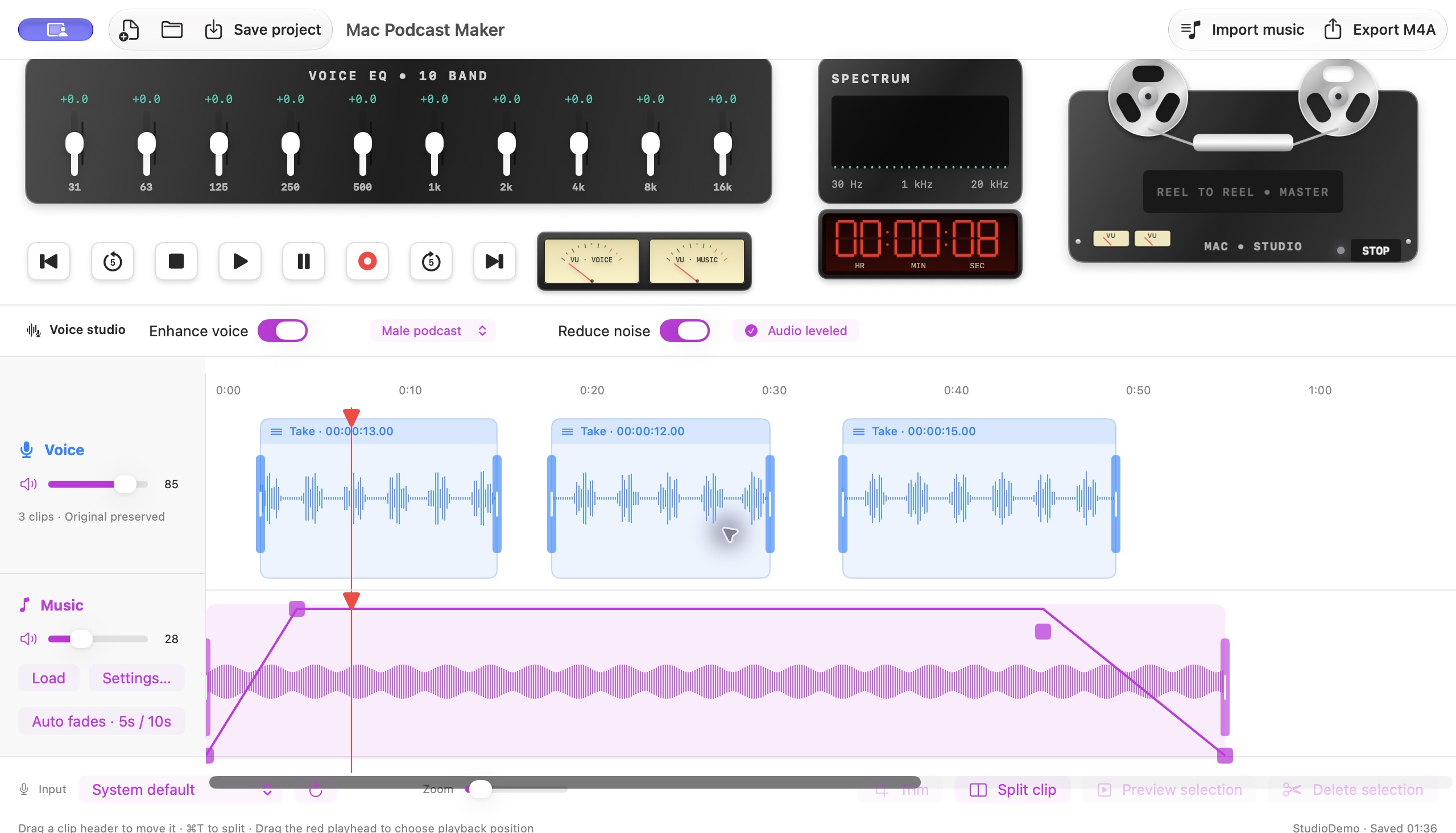
Record with your chosen microphone and import your music. Adjust both volumes as you listen, with visual fades for your music's entrance and exit.
Select, split, mute or delete sections. Move takes to make room and undo when you need to. You decide where each idea begins and ends.
Voice presets, gentle noise reduction in pauses, leveling and a ten-band equalizer. Hear the result before exporting.
Record directly to disk, save your projects and autosave after each take. Export M4A (AAC) from the first sound to the last.
Control the music clip, its position and all four fade points. Adjust its entrance and exit as you listen to your mix.
View full screenshot ↗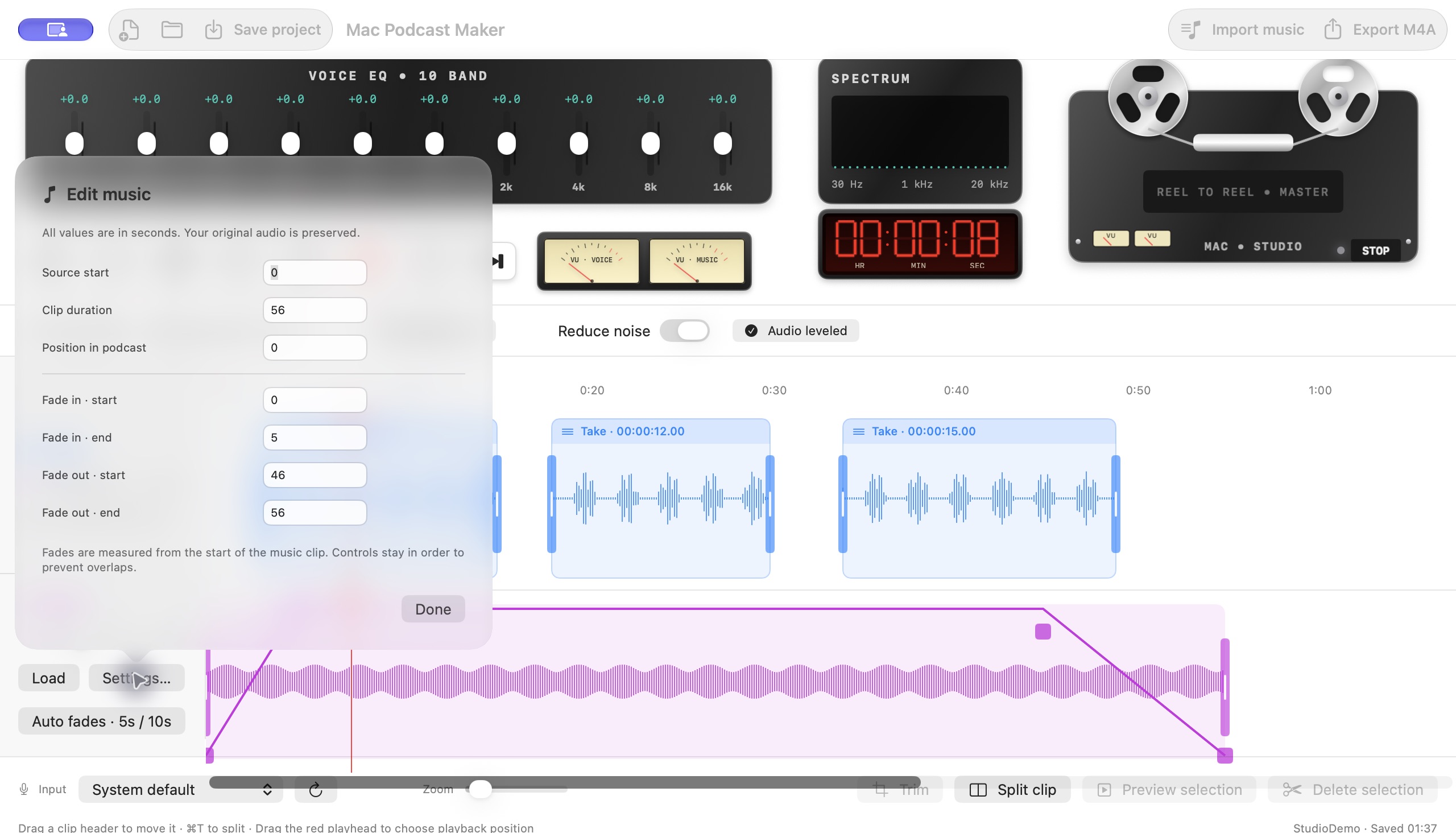
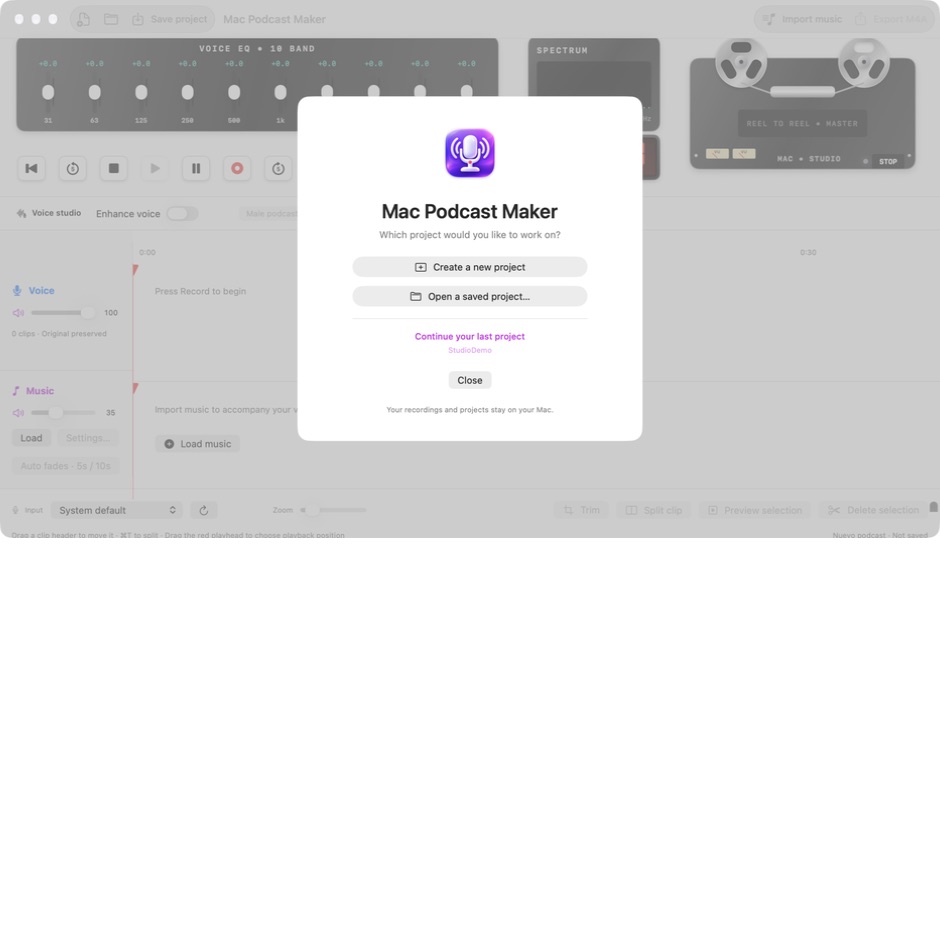
Create, open or continue your last project from the welcome screen. Save your takes, music and settings to continue another day.
View full screenshot ↗Choose your input, wait for the 3, 2, 1 countdown and begin. Watch the waveform grow as you record.
RListen, zoom in and adjust each clip. Deleting leaves a gap; the other takes stay in place.
⌘ ZSave your project to continue later or export your mix as an M4A file.
⌘ EFrom US$ 9.99. Find the right option for your project or team.
Individual
US$ 9.991 Mac
Buy Individual ↗Duo pack
US$ 17.992 Macs
Buy Duo ↗Trio pack
US$ 24.993 Macs
Buy Trio ↗Quad pack
US$ 31.994 Macs
Buy Quad ↗Penta pack
US$ 37.995 Macs
Buy Penta ↗One-time payment in USD · No subscription · All packs include the same features. Choose how many Macs to activate. Applicable taxes are shown by Creem before payment.
Current status and ideas for the future.
No committed release dates.
One voice track and one music track, non-destructive editing, ten-band EQ, voice presets, saved projects and AAC export.
Buy through Creem, receive your license key and activate it in the app. Free a device slot by deactivating your Mac from the License menu.
Explore a layout that adapts track sizes to the window while keeping their controls and timeline aligned.
A possible separate multitrack window with per-voice inputs and simultaneous recording. Development is deferred; the current app has one voice track and one music track.
Roadmap items are proposals, not included features or a guarantee of future updates. Packs do not add tracks or change app features.
YOUR NEXT EPISODE STARTS HEREDownload Mac Podcast Maker 2 and install the app.
To get started, enter the license key you received from Creem.
This build is not yet notarized by Apple. Review this status before purchasing. Internet is required for activation and to renew authorization at least every 30 days.
Creem delivers a key after payment. Enter it when you open Mac Podcast Maker 2. Individual allows 1 Mac; Duo, 2; Trio, 3; Quad, 4; and Penta, 5. Every pack has the same audio tools. These are one-time licenses for this version, with no subscription. Future roadmap features are not included.
It is a native macOS app built with SwiftUI and AppKit. This website shows real app screenshots and does not request microphone access.
On your Mac's disk, inside the project. Edits preserve the original files so you can keep working.
It attenuates gentle background noise during pauses. It is not AI voice separation and does not remove sounds overlapping your voice.
Yes. Save the project and reopen it to continue with your takes, music and settings. The app autosaves after each recording.